Why WordPress Is Not the Best Choice for Your Website in 2026
WordPress still powers a huge slice of the web. For most new brochure sites and blogs, the security surface, plugin debt, hosting bill, and lack of version control make it a riskier bet than it looks in the sales pitch.

WordPress powers something like two fifths of the web. That is not an accident. It is free software, the theme market is enormous, and for years it was the obvious answer when a client said they wanted to edit their own site.
In 2026, for a new marketing site, portfolio, or blog, I would not start there. Not because WordPress is dead. Because the failure modes are predictable, expensive, and mostly avoidable if you pick a different foundation.
The attack surface is the product
A static site serves files. WordPress serves files and runs PHP on every request and exposes an admin login and talks to a database and loads whatever plugins you installed last year.
That is a lot of moving parts on the public internet. Brute-force attempts against /wp-admin are background noise on most hosts. Plugin vulnerabilities are a staple of security advisories. A popular SEO plugin, a page builder, a contact form extension: each one is code you did not write, maintained on someone else’s schedule, with its own update cadence and its own bugs.
The worst WordPress hack I have seen was a small business site defaced with propaganda overnight. A local company’s homepage, not a high-value target, because someone found a way in through the usual holes: an outdated plugin, a reused password, an admin URL that was never locked down. You are not too small to be a target. Automated scans do not care what you sell.
You can harden a WordPress install. Managed hosts, WAF (web application firewall) rules, two-factor auth, and disciplined updates all help. You are still running a small application stack so a marketing intern can change a headline. For a twelve-page brochure site, that is a heavy trade.
Plugin nightmares are not edge cases
Plugins are how WordPress does everything beyond a basic blog. SEO, forms, caching, security, backups, e-commerce, pop-ups, analytics. Most real sites accumulate a dozen or more.
Each plugin is a dependency. Updates can conflict. Two plugins both hook the same filter and your checkout breaks. A premium licence expires and a feature silently stops working. An author abandons a tool with 100,000 active installs and you are left patching around it.
“I will only install trusted plugins” sounds sensible until you need a specific feature and the trusted option is the one that hasn’t been updated in eighteen months. The ecosystem optimises for breadth, not for your peace of mind.
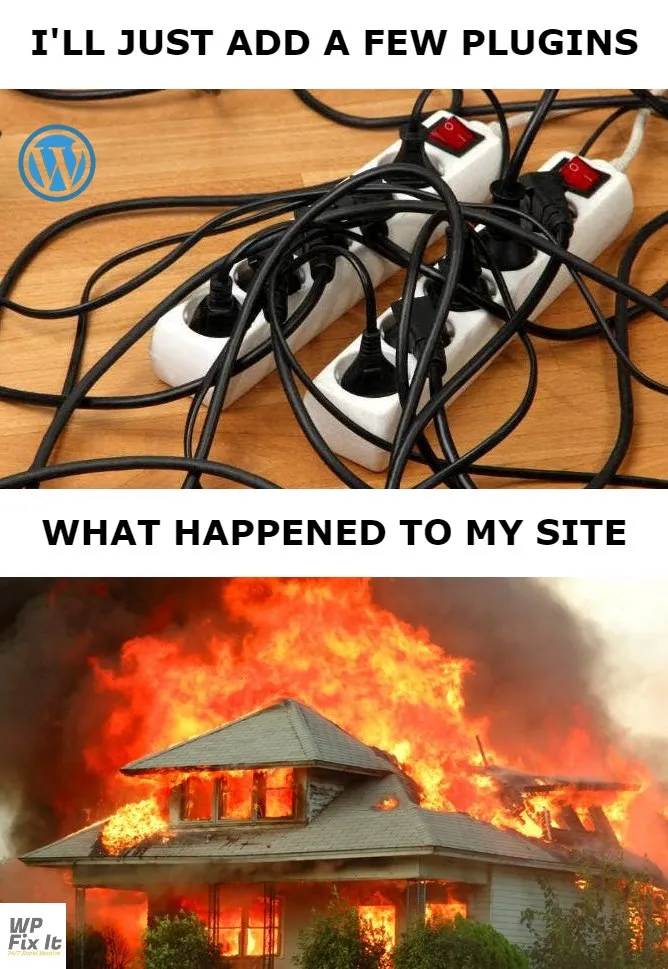
Meme via WP Fix It.
User error in the CMS is a production incident
WordPress gives non-technical users a visual editor. That is the selling point. It is also how layouts get broken at 4pm on a Friday.
Drag the wrong block. Paste from Word and inherit a font stack from 2009. Publish instead of save draft. Duplicate a homepage and forget which one is live. Install a demo import that overwrites half the site. Change a global colour in the customiser and wonder why the blog looks wrong too.
There is no pull request. No reviewer. No preview branch that has to pass CI before merge. The change goes straight to the database and the live site. Rolling back means hunting through revisions, restoring a backup, or calling someone who bills by the hour.
One PHP mistake can take the whole site down
WordPress themes and child themes are PHP. So are many customisations. Paste a snippet from a forum into functions.php. Miss a semicolon. White screen. Entire site offline until someone with FTP access fixes it.
The same applies to plugin conflicts after an update, a PHP version bump on the host, or a memory limit hit by a bloated admin page. Static sites fail at build time in CI, before anything reaches production. WordPress often fails in production, in front of your customers.
Version control is usually an afterthought
Developers version-control themes. Sometimes plugins. Almost never the content that actually matters: the pages, posts, and settings living in MySQL.
“Who changed this paragraph?” is a database question, not a git log question. Staging and production drift apart. Media files sit in wp-content/uploads while the database points at URLs that do not match after a migration. Moving environments is export, import, pray.
Modern workflows expect content in Git: Markdown, reviewable diffs, preview deploys per branch. WordPress can be forced into that shape with headless setups and sync tools. That is extra complexity on top of the stack you chose to keep things simple.
Hosting costs add up quietly
WordPress wants PHP, MySQL, and enough resources to run cron, admin sessions, and plugin overhead. Cheap shared hosting is tempting. Renewal prices jump. Managed WordPress hosting from Kinsta or WP Engine is ~£15–£40/month for a single modest site before you count premium plugins and theme licences.
A static site on Netlify, Cloudflare Pages, or Vercel often runs at £0–£5/month for the same traffic profile. No database to manage. No server patches. No surprise invoice because a plugin doubled your admin memory usage.
When WordPress still earns its keep
I am not arguing you should rip out every WordPress install tomorrow.
WordPress still makes sense when you need a mature editorial workflow inside one admin, a plugin ecosystem for WooCommerce or membership at scale, or a team that has lived in wp-admin for a decade and migration cost exceeds the pain of staying.
For a new agency site, freelancer portfolio, or local business brochure launched in 2026, those cases are rarer than the default assumption.
What I would do instead
For most read-heavy sites, a static site with a modern SSG is faster, cheaper, easier to secure, and easier to own. Content in Git. Deploy on push. Interactivity only where you need it.
A simple starting point is Astro Base: a free Astro starter where GitHub is your CMS. Edit Markdown in the repo, push, and deploy.
If you are weighing WordPress because “everyone uses it,” that is inertia, not a requirement. Get in touch if you want help scoping what actually fits.